Let's Talk

AI Gmail Automation

AI driven structured email workflow and document intelligence system

Overview

Product Overview

  • tickAI-powered Gmail automation for structured email workflows
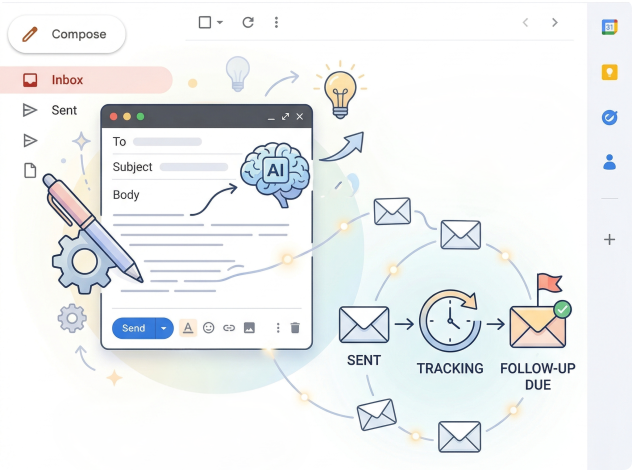
  • tickAutomatically creates, sends, and tracks emails using predefined rules
  • tickGenerates context-aware drafts and follow-up sequences
  • tickRecords all interactions under a single case history
  • tickUnderstands uploaded documents to prepare notices and summaries
  • tickReduces repetitive inbox management and manual drafting
  • tickEnsures consistent, traceable, and error-free communication
  • tickStreamlines email processes from first message to final response
What it handles banner

What It Handles

AI Gmail Automation manages complete communication lifecycles:

  • tick

    Issue detection and record creation

  • tick

    Document collection and storage

  • tick

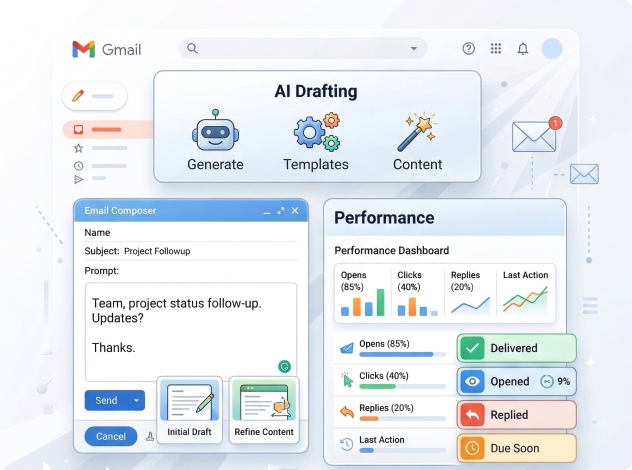
    Automated email drafting

  • tick

    Sending and followup tracking

  • tick

    Version control synchronization

  • tick

    Response monitoring

  • tick

    Report and notice generation

All communication becomes part of a structured record instead of scattered inbox threads.

Core Capabilities

Generate structured emails automatically using stored case data, templates, and workflow rules.

AI prepares messages for different communication stages including:

  • tick

    Initial outreach emails

  • tick

    Issue notification messages

  • tick

    Evidence or document request emails

  • tick

    Reminder and follow-up messages

  • tick

    Escalation emails for unresolved cases

  • tick

    Response acknowledgment emails

Result: Consistent messaging, reduced drafting time, and standardized communication across all cases.

Integrations

AI Gmail Automation connects directly with commonly used tools to keep communication and documents synchronized:

tick

Gmail integration for sending emails and tracking responses

tick

Lighthouse scanning for automated accessibility checks

tick

Google Drive templates for structured draft generation

tick

API support for extending workflows into external systems

tick

Google authentication for secure access

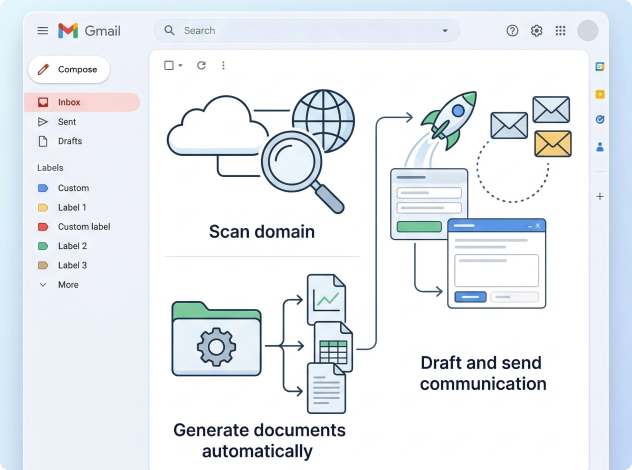
Workflow

  • 1

    Scan domain or create a record

  • 2

    Upload supporting evidence

  • 3

    Generate documents automatically

  • 4

    Draft and send communication

  • 5

    Track replies and follow ups

  • 6

    Produce reports using AI assistance

Workflow banner

Security

Role-based record access

Secure authentication

Activity logging and traceability

Controlled document visibility

Automation Triggers

AI Gmail Automation automatically initiates actions based on operational events:

Detection of accessibility or compliance issues during domain scanning

Creation of a new record or submission of audit findings

Upload of supporting evidence or legal documents

Email activity such as replies, bounces, or no response within a defined period

Scheduled deadlines, reminders, or aging cases

Approval or status change by Admin, Manager, Freelancer,or Attorney

AI identifying missing information or incomplete documentation

These triggers ensure communication, followups, and documentation progress without manual monitoring.

What it handles banner

Results That Matter

AI Gmail Automation turns communication heavy processes into structured operations. Organizations benefit from:

  • tick

    Reduced manual email drafting

  • tick

    Faster document preparation

  • tick

    Reliable followup tracking

  • tick

    Centralized visibility

  • tick

    Scalable workflow handling

Use AI Gmail Automation